
© 2026. All rights reserved.
© 2026. All rights reserved.
Important notes:
OpenMediaVault (OMV) is a free free Linux distribution used for network-attached storage (NAS) systems. Personally, I followed an amazing YouTube video by NetworkChuck (foud it here). In the following I will also provide a written step-by-step guide.
sudo wget -O - https://raw.githubusercontent.com/OpenMediaVault-Plugin-Developers/installScript/master/install | sudo bash
This is going to take a while to complete, as it download and execute the installation script.
In order to set up everything, we refer to the web GUI. If you type the ip address of your Pi in the top bar of any browser, you'll be redirected to the login page for OMV. At the first login you have to use the default credential:
root user).
Let's connect now our external hard drive, where all the data will be stored. In order to see if OMV can detect it: under Storage click on Disks
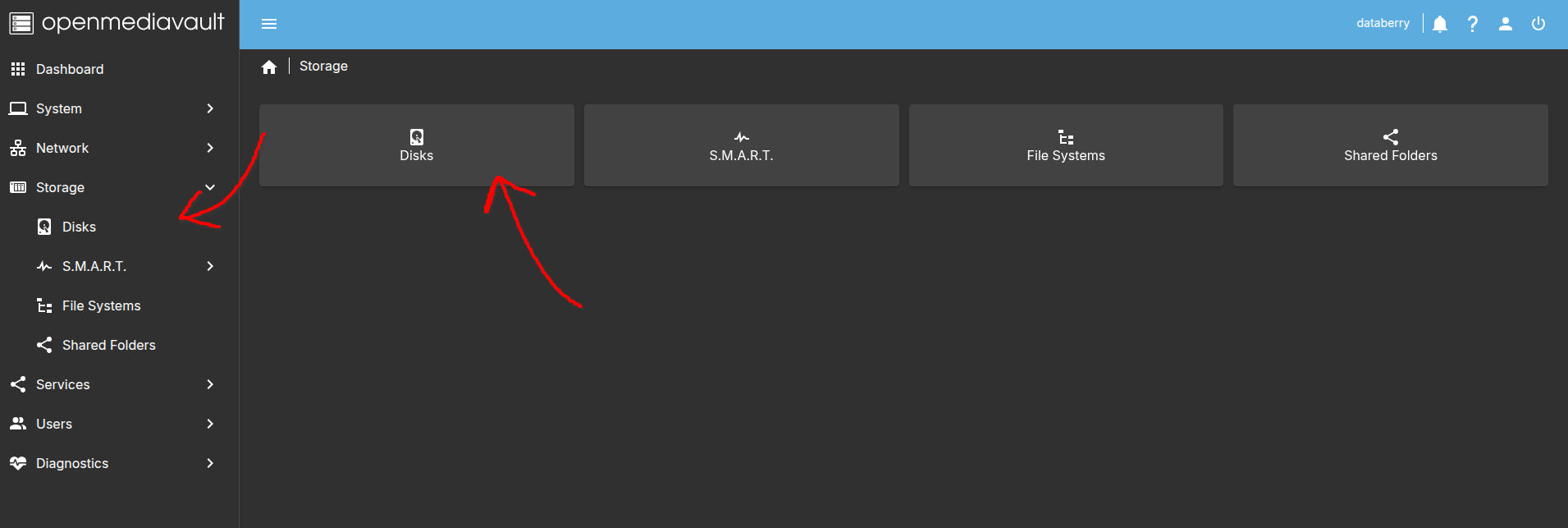
and in the table there should be the SSD, like /dev/sda (together with the SD card memory where the OS is installed).
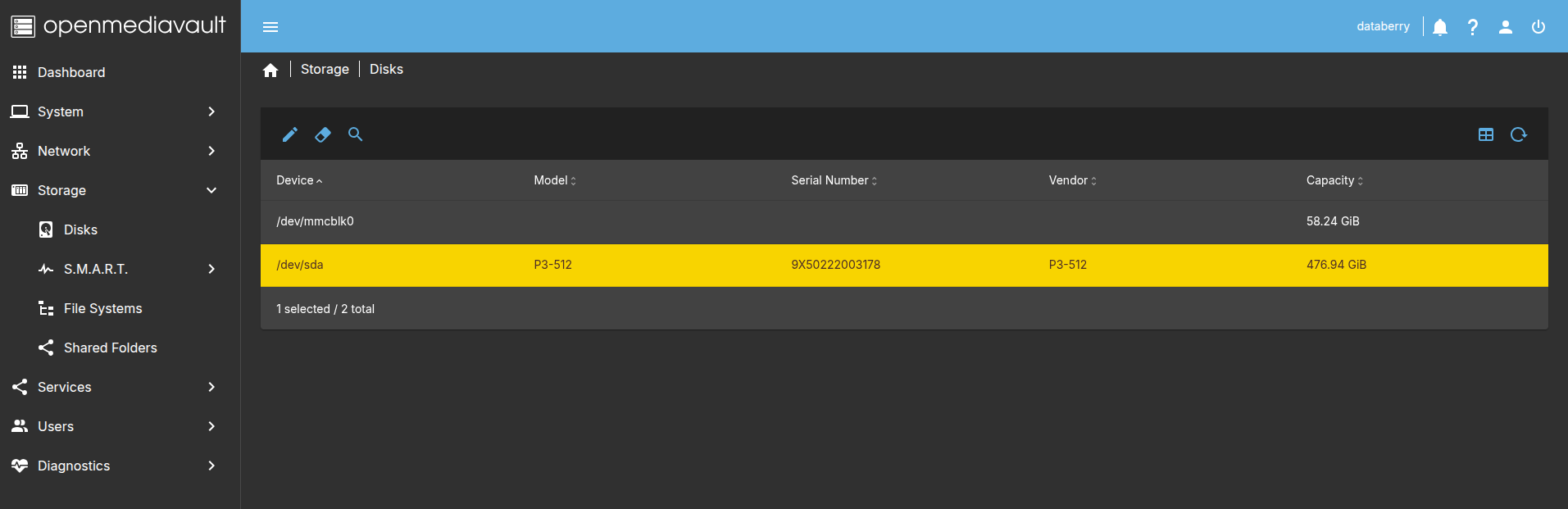
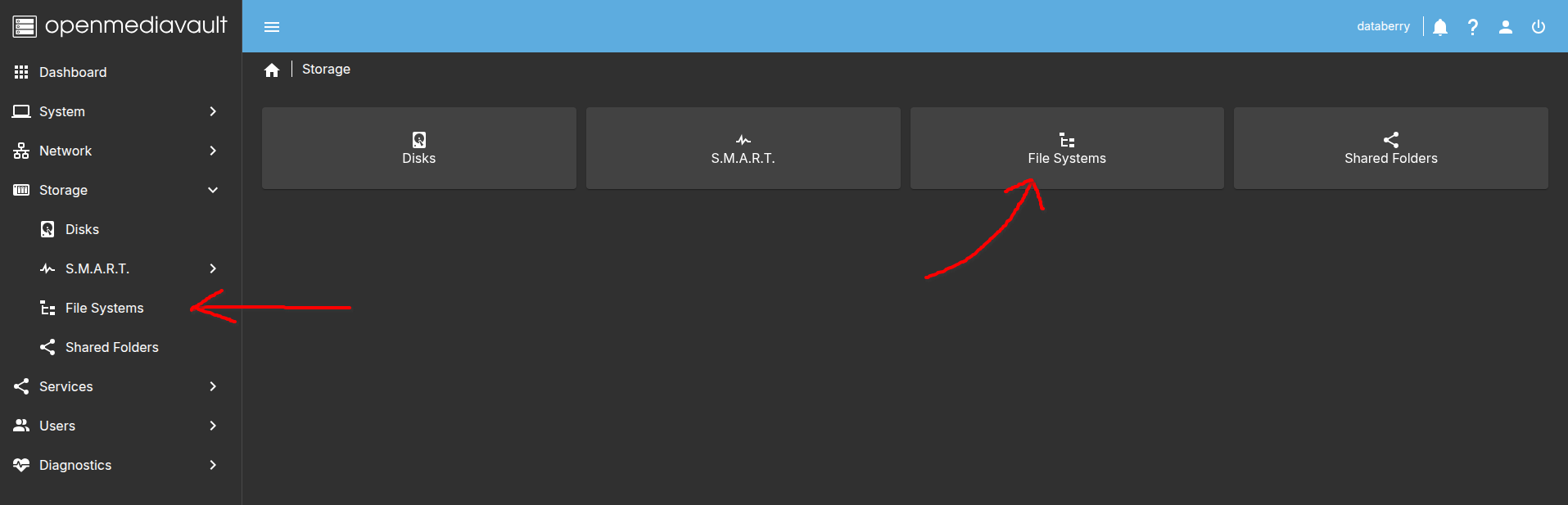
Now you are sure that the storage is seen, and we can mount it. In order to do so, let's click on Storage again, and then File System.
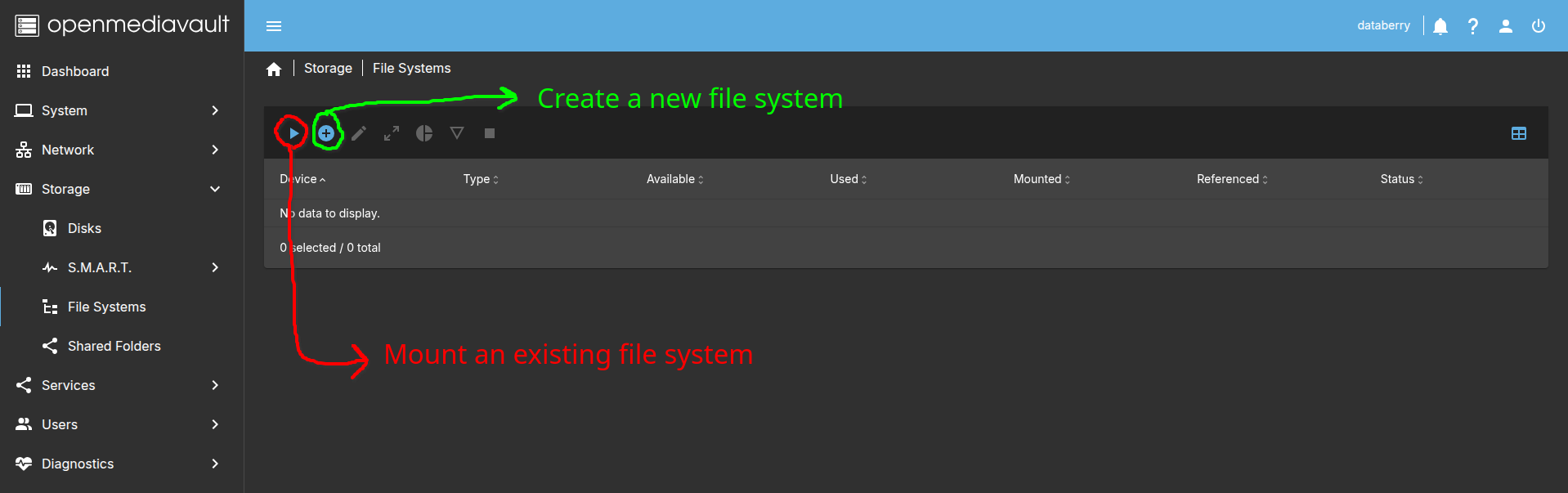
In the next window, click on the small triangle on the top of the page, to mount an existing file system (you can also create one clicking on the + symbol).
In order to be able to access the content of our file system, you should now create a shared folder. Simply click on Shared Folders under the Storage menu and follow the steps.
In order to be able to see the folders on other machines, services like SMB or NFS should be enabled. Let's see how to do it.
SMB is the default file sharing system for Windows. Click on Services and then SMB/CIFS. Once in the Settings just tick the "Enable" flag. That's it, it's really that simple! (Just remember to click on Save at the bottom of the page...)
After that, click on Shares and add the shared folder created before.
NFS is used by Linux and Mac OS systems. Again, click on Services and then NFS. Under Settings tick the "Enable" flag.
Again, click then on Shares and add the shared folder. This time we need an additional passage, because Client is a mandatory field. I usually put the IP addresses of the devices connected to the same WiFi (or LAN), but feel free to set it as preferred.